


Downloader by AFTVnews
4.2496.00 Reviews
App Specs
- Version
- 2.0.4-ForGoogleAndroidDevices
- Updated On
- License
- Free
- Downloads
- 50,000,000+
- Developer
- AFTVnews.com
- Categories
- Tools
- Platform
- Android
Screenshots
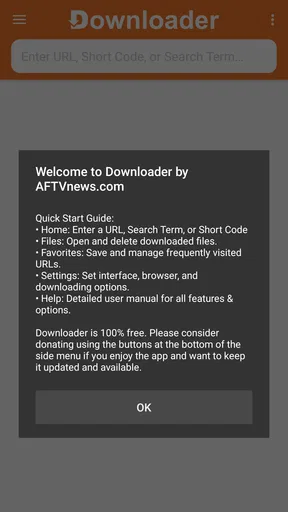

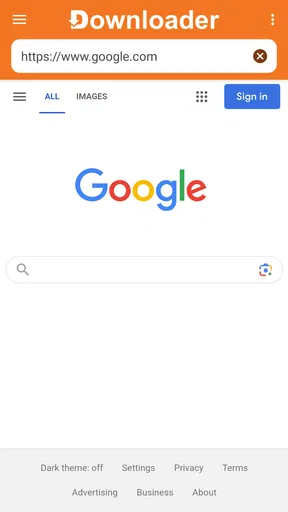
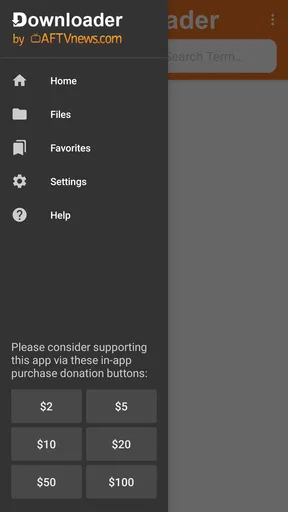
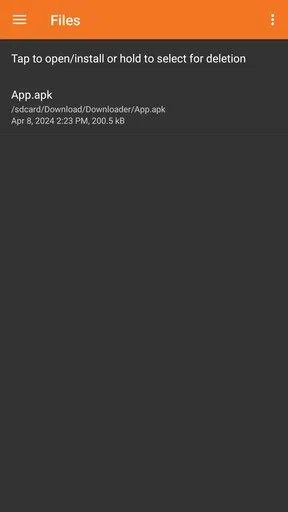

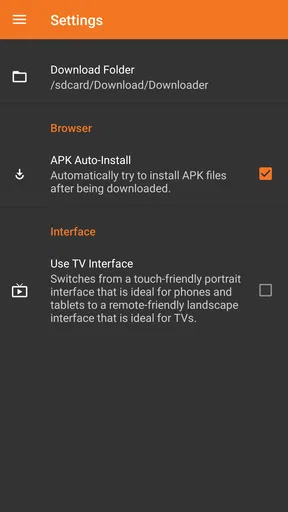
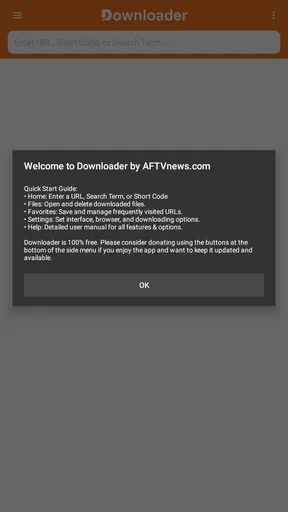
 Analysis by AppCompare
I judge utility apps by what happens after the first few days: do they solve a recurring annoyance, or do they become another icon I forget about? Downloader has a clear case for staying installed if you often move files onto a device or install apps outside its usual store. Its appeal is practical rather than flashy, and that makes the routine details—where a file comes from, what you do with it next, and how safely you handle it—more important than the novelty.
Why the first week can feel useful
During the first few uses, the main benefit is having one place to enter a file address or short code instead of juggling a browser, a separate download manager, and a file app. Downloader by AFTVnews is a free tools app, and its basic idea is easy to grasp: point it toward a file you are entitled to access, then handle the result on your device. That directness is especially welcome when typing or pasting a long address on a television device is awkward.
A realistic example is setting up a streaming device after a reset. You may need to retrieve a legitimate installer that is not available through the device’s normal app catalog. Rather than searching around on a phone, transferring a file, and then locating it again, you can use Downloader as the route from the source to the device. The convenience is not that it makes every installation safe or compatible; it simply cuts out some of the busywork.
Where it earns a place month after month
The app makes the most sense for people who repeat this sort of task. If you only download an occasional document on a phone, the browser you already use may be enough. If you regularly maintain a streaming box, test a permitted app build, or fetch files from known sources, keeping a dedicated downloader can save small amounts of time each session. Those savings add up because the workflow is predictable: enter a URL or short code, retrieve the file, and decide what to do with it.
Its scale suggests that this is not a niche tool used by only a handful of enthusiasts: Downloader has passed 50 million installs and holds a 4.0 average from around 52,000 ratings. I would still treat those figures as context, not a promise that every download will work on every device. A file can be unavailable, unsuitable for the device, or offered by a source that should not be trusted. The app streamlines access; it does not remove the need to judge the source.
Maintenance is mostly about your own habits
The ongoing effort is less about tending the app and more about keeping a sensible download routine. Before entering an address, I would check that it belongs to the organization or person I intended to use, and I would avoid shortened or unexpected destinations when I cannot verify where they lead. A short code is convenient when typing on a remote, but convenience should not replace checking the destination and the file’s purpose.
For sideloading, the important question is not merely whether an installer opens. It is whether the app is intended for the device, comes from a source you trust, and is still maintained by its publisher. Installing from outside an official store can bypass some of the review and update conveniences people rely on. I would keep a note of why I installed a particular app and where it came from, especially on a device shared with family. That small record makes later cleanup much easier.
Worth Reading Before You Choose

Baby Panda World Brings Quick Play to Modern Phones, but Its Game Library Feels Busy

ESPN’s Live Game View Makes Following Close Games Easier

QuizzLand Review: A Good Fit for Short Trivia Breaks, Not Every Player

Basketball Stars: Multiplayer Is Fast, but Can It Recover When Matches Go Wrong?

WEBTOON Turns Phone Updates Into a Better Reading Routine

Link to Windows Runs on Shared Habits, Not Social Feeds
Trade-offs that become clearer over time
Downloader is focused, which is both its strength and its limit. It is not a substitute for a full desktop file manager when you need to sort, rename, compare, or archive many files. Nor is it the best choice if your priority is automatic syncing across devices; a cloud storage app is designed for that job. For a one-off file already open in a browser, the browser’s own download control may be simpler. I reach for Downloader when the destination device and the retrieval step are the problem, not as a universal answer to file management.
There is also a learning curve around device permissions and installation settings. Depending on the device and what you are trying to install, the system may require you to allow installations from an unknown source. That setting deserves care: grant only what is necessary for the task, and review it afterward if you do not expect to sideload regularly. On some devices, the operating system or manufacturer’s restrictions may prevent an installer from working at all. The app cannot turn an unsupported file into a compatible one.
Who should use it—and who can skip it
I would recommend it to people who knowingly download files from direct addresses, especially those maintaining Android-based streaming devices or installing legitimate software that is not distributed through their usual store. The short-code option can be handy when remote-control input is slow, while a direct URL is preferable when I want to inspect the destination myself. That distinction is useful in practice: speed matters, but visibility matters too.
I would skip it if you rarely download anything, are uncomfortable judging the trustworthiness of a file source, or simply want apps from an official catalog with its familiar discovery and update flow. In those cases, the standard app store or browser is a better fit. Sideloading is a choice that asks for a little more responsibility, not a shortcut everyone needs.
What is Downloader by AFTVnews?
So, here’s the deal: Downloader is a simple yet powerful app designed to download files from the internet directly onto your Android or iOS device. But that’s not all. It also allows you to sideload apps, which is perfect for those times when you want to try out apps not available on the official app stores. Think of it as your personal digital assistant that opens up new possibilities for your device.
Easy Peasy Installation
Installing Downloader is a breeze. You can find it on both the Google Play Store and the Apple App Store, so no matter your device preference, you’re covered. Once installed, you’ll be greeted by a clean and intuitive interface. Seriously, even if you're not tech-savvy, you'll feel right at home navigating through this app.
Downloading Files Made Simple
One of the standout features of this app is its ability to download files with ease. Whether you’re grabbing a movie, a document, or an APK file, the process is straightforward. Just enter the URL of the file you want, and boom, the app takes care of the rest. The built-in browser is a nice touch, allowing you to navigate the web and find your downloads without leaving the app.
Sideloading Apps Like a Pro
Now, let’s talk sideloading. If you’ve ever wanted to try out apps that aren’t available in the Play Store or App Store, this feature is a lifesaver. With Downloader, you can easily sideload apps. This is particularly useful for streamers who want to install apps on devices like the Amazon Fire Stick. Just be sure to enable installations from unknown sources in your device settings, and you’re good to go.
Security and Privacy
Security is always a concern when downloading files from the internet, but this app has you covered. It’s designed to be safe and secure, so you don’t have to worry about malware or other nasties. Plus, it doesn’t collect unnecessary data, which is a huge win for privacy-conscious users.
User Experience and Design
I can’t stress enough how user-friendly this app is. It’s got a minimalistic design that makes navigation a breeze. Whether you’re tech-savvy or a newbie, you’ll appreciate the straightforward layout. Everything is exactly where you’d expect it to be, which is something I wish more apps would get right.
Final Thoughts
In a world full of flashy apps trying to do too much, Downloader by AFTVnews keeps things simple and efficient. It’s a great tool for anyone looking to expand their device’s capabilities. Whether you’re downloading files, sideloading apps, or just exploring the web, this app makes it all easy and stress-free. So, if you haven’t checked it out yet, give it a go. You might just find it becomes one of your go-to apps for everyday use.
Small checks that make the workflow more dependable
One useful habit is to treat downloading and installing as two separate decisions. A file landing on the device does not mean it should be opened immediately. I would first check its name and expected type, then compare that with what the source promised. If an installer arrives when I expected a document, or a file name looks unrelated to the task, I would stop rather than try it. This simple pause is more valuable than assuming a download tool can judge every file for me.
Another practical trade-off is the way you enter the destination. On a television interface, a short code can be less frustrating than typing a long address with a remote. On a phone or tablet, copying a complete URL may be easier and gives me a chance to inspect the domain before proceeding. I would use the method that reduces input errors without hiding where the file is coming from. That small distinction can prevent a wasted attempt and help avoid mistyped destinations.
What to expect from compatibility and upkeep
The current version is 2.0.3-ForGoogleAndroidDevices, and the app supports devices running Android 6.0 or later. That makes it relevant to a broad range of Android hardware, but operating-system support is not the same as universal file compatibility. An installer built for a different device or system can still fail, and a download may depend on the source remaining available. If a link stops working, I would first confirm the address and source rather than assume the app itself is broken.
The app is free, with optional in-app purchases ranging from $2 to $100 per item. For someone who only needs the core task occasionally, it is sensible to try the free experience before deciding whether any paid option matters to their own use. It is rated for Everyone, but that age classification does not make every file reached through it appropriate or safe. Parents and anyone setting up a shared device should make their own choices about which sources and downloads are acceptable.
Alternatives depend on the job
Compared with an ordinary mobile browser, Downloader is most compelling when you need a direct route to a file on the device you are configuring, particularly when browsing and entering a destination on that device is more convenient than transferring from elsewhere. A browser remains a better choice for everyday web use, and a cloud drive is better when the real need is keeping files synchronized or sharing them between devices. A file manager is the stronger tool after the download, when sorting and organizing matter more than retrieval.
For app discovery and routine updates, I would stay with the official store wherever the app is available there. It keeps the familiar installation path and avoids asking the user to make as many source judgments. Downloader fills a narrower gap: obtaining a file from a known address or code when the normal catalog is not the route. Understanding that boundary helps it remain useful instead of becoming an unnecessary replacement for tools that already do other jobs well.
Does it deserve lasting space?
AFTVnews.com is the developer behind this tools app, and its appeal is clearest for people with a recurring sideloading or direct-download task. The app has an Everyone content rating and is free to start using, but I would not recommend keeping it solely because it can do many things in theory. I would keep it if I found myself returning to the same straightforward download workflow; if my needs were only occasional and browser-based, I would let the browser handle them.
My long-term verdict is that Downloader earns its place through repeat utility, not novelty. It can make setup and file retrieval less fiddly, especially on a streaming device, while still leaving the important decisions—source trust, compatibility, and whether sideloading is appropriate—to me. If you are willing to make those checks, it is a practical tool to keep available. If you want a hands-off app catalog or a general file organizer, another option will suit you better.
Pros
- Supports various file formats effortlessly.
- Fast download speeds enhance user experience.
- Simple and intuitive user interface.
- Integrated web browser for direct downloads.
- No ads in the premium version.
Cons
- Limited features in the free version.
- Occasional compatibility issues with iOS.
- No built-in media player.
- Requires manual updates for new features.
- Some download links may not work.
FAQs for Downloader by AFTVnews
What is Downloader by AFTVnews used for?
Downloader by AFTVnews is an app designed for downloading files from the internet directly onto your device. It's particularly popular among Fire TV and Android users who want to download and install APK files or other media without using a computer. The app simplifies the process by providing a built-in browser to navigate to the desired URLs.
Is Downloader by AFTVnews safe to use?
Yes, Downloader by AFTVnews is generally considered safe, especially when downloaded from reputable sources like the Google Play Store or Amazon Appstore. However, as with any app that allows downloading from the internet, users should be cautious about the URLs they visit and the files they download to avoid malware or other security risks.
Do I need to enable any settings before using Downloader?
Yes, to fully utilize Downloader by AFTVnews, you may need to enable "Install Unknown Apps" on your device. This setting allows you to install APKs downloaded through the app. On Android devices, this can be found in the security settings, while on Fire TV devices, it's available under Developer Options.
Can I use Downloader by AFTVnews without an internet connection?
No, Downloader by AFTVnews requires an internet connection to function. The primary purpose of the app is to download content from the web, so a stable internet connection is necessary. Once files are downloaded, you can access them offline, but the initial download requires connectivity.
Are there any costs associated with using Downloader by AFTVnews?
Downloader by AFTVnews is a free application and does not charge users for downloading or using its core features. However, users should be aware that downloading large files may incur data charges from their internet service provider, especially if not connected to a Wi-Fi network.


